
Geo Tracks Go Logo

Your Basket

Your basket is empty

Add some trackers to get started!

GT OBD in action

GEO TRACKS

GT OBD

Compact GPS Tracker

Perfect for personal tracking, family safety, and outdoor adventures

190+ Countries
Global Coverage
2 Years Data
Included Free
Free Shipping
UK Delivery

Plug-and-play vehicle tracking with real-time diagnostics

GT OBD

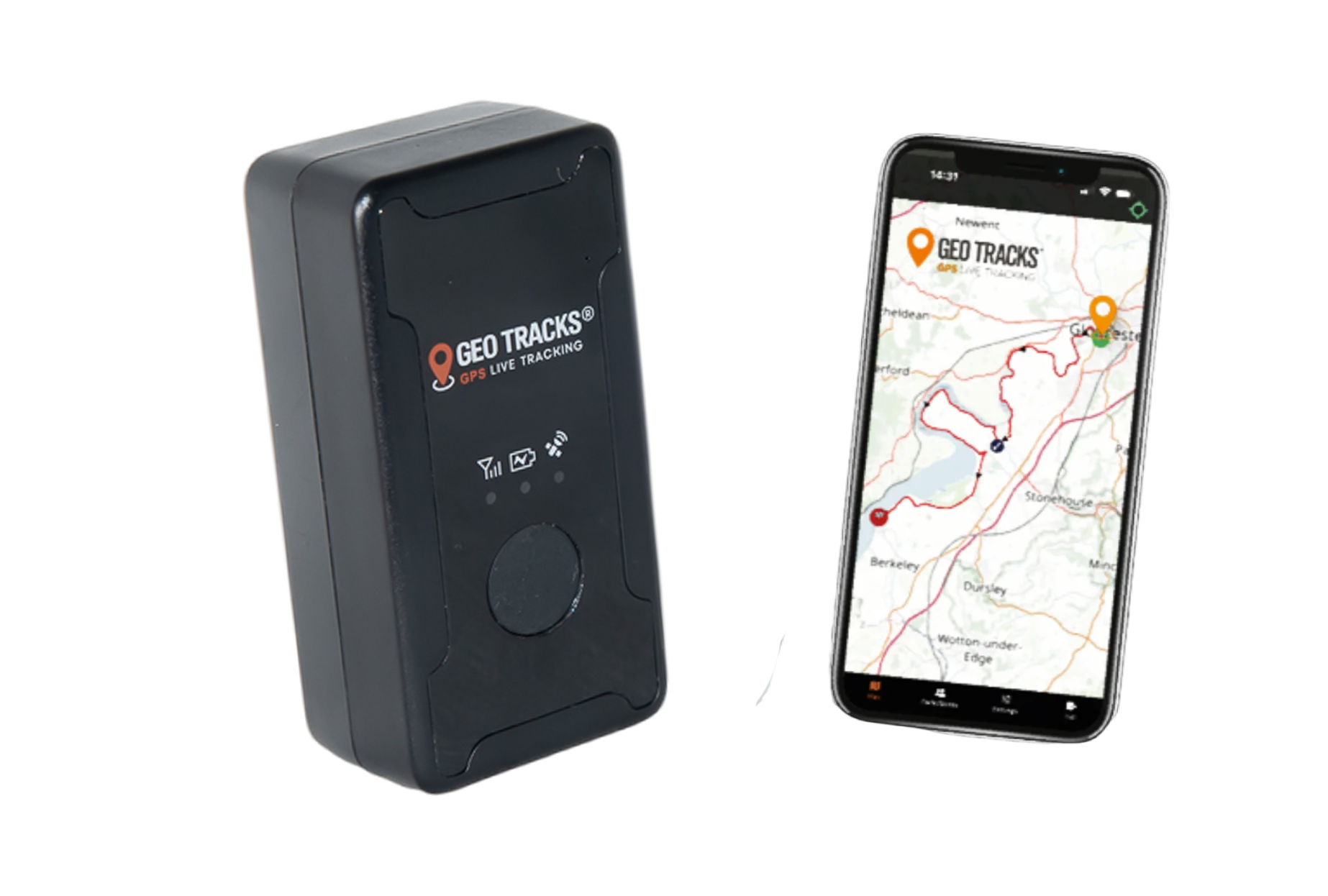
The ultimate vehicle tracking solution that plugs directly into your car's OBD-II port. Get instant access to real-time location, driving behavior, and vehicle diagnostics without any installation required.

£199.99
£166.66 (Ex VAT)
or 3 payments of£66.66withKlarna
  • Real-time GPS tracking with live location updates
  • Long-lasting battery life
  • Compact and durable design
  • Mobile app integration for iOS and Android
  • Geofencing and movement alerts
Global Coverage
2 Years Data
Free UK Shipping
Live Tracking
Broadcasting
Sharing
SOS Button
Linked Accounts
2 Years Data
Dimensions45mm x 45mm x 15mm
Weight35g
ConnectivityBluetooth 5.0, GPS, 4G LTE
Water ResistanceIP65 (dust and water resistant)
Operating Temp-20°C to 60°C
ChargingUSB-C, 3 hours full charge
Battery LifeUp to 30 days standby
Shock SleepAuto sleep / standby mode after 60 seconds of no movement

POWERFUL APP FEATURES

Everything you need to track, monitor and protect what matters most

Live Map Tracking

Monitor all your devices in real-time on an interactive map. View complete path history, set custom update intervals, and choose from multiple map styles including Road, Satellite, and Topography views.

  • Multi-tracker monitoring
  • Real-time location updates
  • Path history with timestamps
  • Multiple map layers

Tracker Data & Analytics

Get detailed insights into your tracker's activity. View breadcrumb trails, customise settings, and monitor statistics including distance travelled, average speed, and maximum speed analytics.

  • Breadcrumb trail history
  • Customisable tracker settings
  • Speed and distance analytics
  • Battery level monitoring

Customise Your Experience

Create custom zones, add points of interest, and set up routes. Receive instant notifications when your tracker enters or exits designated areas, perfect for geofencing and safety alerts.

  • Create custom geofence zones
  • Add points of interest
  • Save and share routes
  • Entry/exit notifications
QUICK START

GT60 Personal Tracker - Quick Start Guide

Get started with your GT60 in minutes. Follow these simple steps to set up and use your personal GPS tracker.
GT OBD diagram
1

Power On / Off and SOS Button

  • Press the button once to power on
  • Press 6 times firmly and in quick succession to turn off
  • Press and hold for 3 seconds to activate the in-app SOS function
2

LED Status Indicators

  • Flashing Blue = No GPS signal (ensure tracker is outdoors with clear view of the sky)
  • Flashing Green = No 4G signal (try moving to a higher location with clear view of the sky)
  • Solid Blue = GPS connected
  • Solid Green = 4G connected to Geo Tracks Go app
  • Solid Red = Battery fully charged
  • Flashing Red = Battery charging
  • Green & Blue flashing together 5 times = Tracker turned off
  • Alternating Green & Blue flashing = SOS function activated

Quick Reference Guide

1

Power On / Off and SOS Button

  • Press the button once to power on
  • Press 6 times firmly and in quick succession to turn off
  • Press and hold for 3 seconds to activate the in-app SOS function
2

LED Status Indicators

  • Flashing Blue = No GPS signal (ensure tracker is outdoors with clear view of the sky)
  • Flashing Green = No 4G signal (try moving to a higher location with clear view of the sky)
  • Solid Blue = GPS connected
  • Solid Green = 4G connected to Geo Tracks Go app
  • Solid Red = Battery fully charged
  • Flashing Red = Battery charging
  • Green & Blue flashing together 5 times = Tracker turned off
  • Alternating Green & Blue flashing = SOS function activated

Important Notes

  • 1This tracker will only work with the Geo Tracks Go app. Download it from the App Store or Google Play to get started.
  • 2Coverage is 4G - the tracker requires a 4G signal to send its location information back to the Geo Tracks Go app. Your smartphone will also need a 4G or WiFi connection to receive the tracking data.
  • 3Viewing complex maps on your phone (such as Satellite view) requires more data and signal strength. In areas of low signal, it's quicker to display a basic road map for faster loading times.
  • 4Shock Sleep Mode: The tracker automatically enters sleep/standby mode after 60 seconds of no movement to conserve battery life. Movement instantly wakes the tracker and resumes tracking.
  • 5Do not charge the tracker if it has been exposed or submerged in salt water, unless the tracker was used in a waterproof case.

Ready to Get Started?

Join thousands of customers who trust GeoTracks Go for reliable GPS tracking.